
Projects / HomeFit Plan

HomeFit Plan: Home Workouts
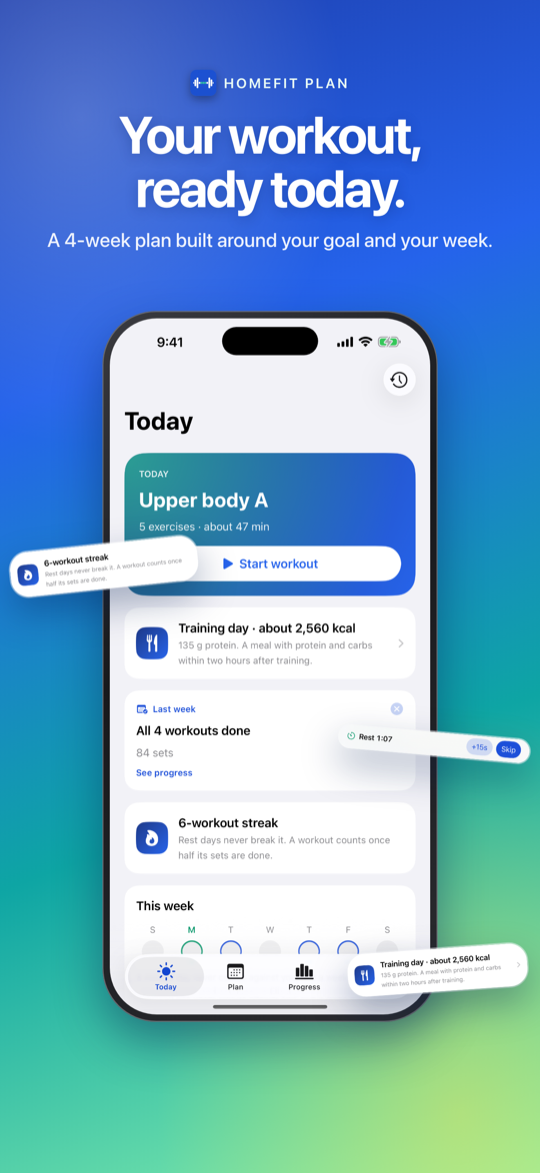
A four-week home workout plan built around your goal, equipment, and the days you can train — then it helps you stick to it.
Health & Fitness · iPhone · Free
A plan that fits your week
Answer a few questions and get a four-week plan built around your goal, equipment, and schedule. Review and edit it before it starts; week four eases off to recover.
Train set by set
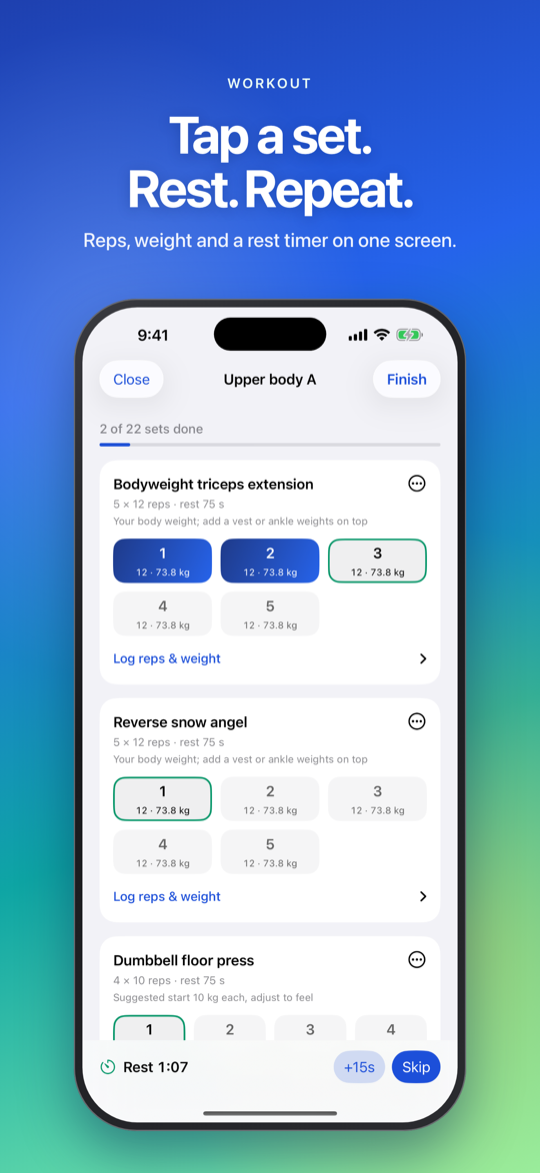
Tick off sets as you go and log reps and weight. A rest timer after every set keeps running when you leave the app, and you can save and finish later.
Adapts to how it goes
Tell it how each workout felt. A weekly review may suggest more or fewer sets or easier variations — nothing changes until you accept it, and every change can be undone. Something hurt? It avoids that area.
Streaks that forgive real life
Miss a day and you can catch up so it still counts. One missed workout a week is forgiven, and you can pause the plan for illness or travel.
Progress you can see
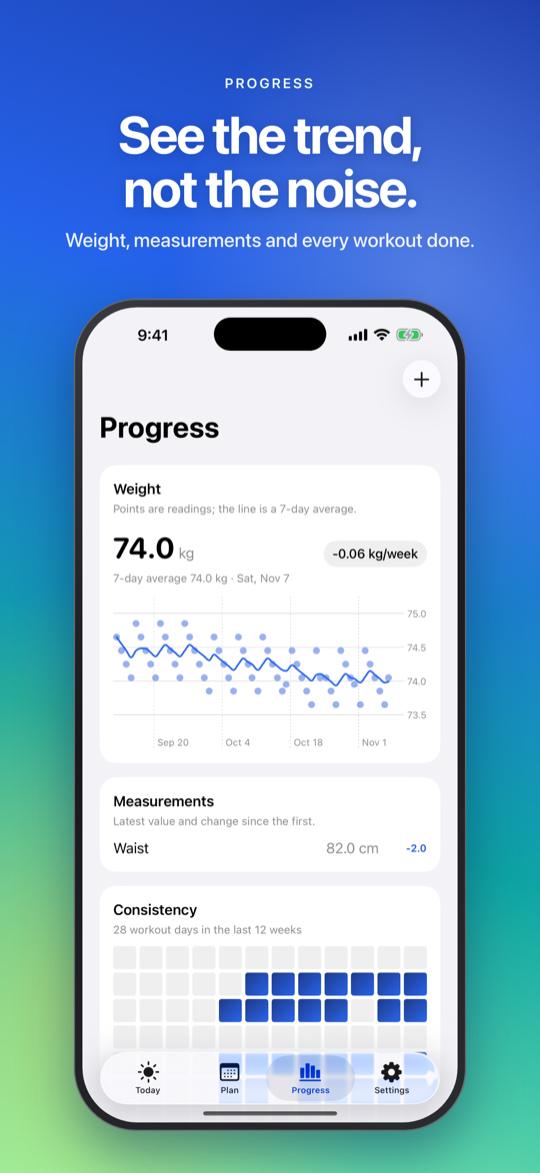
Weight trend, tape measurements, and personal bests, plus a consistency grid. Every workout stays in History with every set editable.
Private by design
App Store privacy: Data Not Collected. Works fully offline; optional sync runs through your own private iCloud, never a BuildByRain server.
Why it exists
Plenty of people want to train at home but stall on the planning — which exercises, how many sets, what to do with the equipment they actually own. HomeFit Plan turns a few answers into a real four-week plan, then carries it through the part that usually breaks down: showing up and adjusting as the weeks go.
It gives general fitness guidance, not medical advice — a point the app makes itself, and a reason to talk to a doctor before starting a new programme.
Who it’s for
People who want to train at home on a real plan — shaped by their goal, equipment, and schedule — without a coach, a subscription, or an account.
In the app
How it’s built
A native SwiftUI app for iPhone, iOS 26 and later. The plan, every logged set, history, and progress live on the device, so the app works fully offline — no account and no sign-in.
Syncing across your devices is optional and runs through your own private
iCloud (CloudKit); there is no BuildByRain server, and the App Store privacy
label is Data Not Collected. HomeFit Pro — your next plan, an eating guide, file backup,
and widgets — is a single one-time StoreKit purchase, not a subscription, with
Family Sharing.
- Swift
- SwiftUI
- CloudKit sync
- Offline-first
- iOS 26+
The core flow
From setup to streak
- 1 Answer a few questions Goal, experience, the equipment you own, the days and minutes you can train, and any areas to go easy on.
- 2 Review the plan A four-week plan to check before it starts — swap, add, or remove any exercise, or ask for a different one. Week 4 is lighter on purpose.
- 3 Train Tick off sets, log reps and weight, and a rest timer that keeps running when you leave the app. Save and finish later.
- 4 Adapt and track Say how each workout felt; a weekly review suggests tweaks you approve. Every set lands in History.
At a glance
- Status
- Live on the App Store
- Category
- Health & Fitness
- Platform
- iPhone · iOS 26+
- Price
- Free · Pro $2.99 one-time
- Data
- None collected
Links
- App Store Open listing
- Privacy Policy page
- Package
com.buildbyrain.workoutplanner - Contact [email protected]