
Projects / ScanHub
ScanHub – PDF Document Scanner
Scan documents to PDF — fast, private, and fully offline. No account, no cloud, no ads.
Productivity · Free · No ads, no account
Scan straight to PDF
Point the camera at a page and the edges are detected and cropped for you. Auto-capture or manual, multi-page in one pass, or import photos from the gallery.
Clean, readable scans
Colour, greyscale and black-and-white filters, plus enhance, crop and rotate — so a phone photo comes out looking like a real scan.
Search inside your scans
Text on your pages is recognised on the device, so you can search your library by content and copy text out of any scan. Nothing is uploaded.
Edit after saving
Reorder pages by dragging, remove a page without rescanning, or scan new pages into a document you already saved.
App lock
Protect ScanHub behind your fingerprint or screen lock. The check is done by Android — the app never sees your biometrics.
Private by design
No account, no analytics, no ads, and no network requests of its own. Documents stay in the app’s private storage and leave only when you share them.
Why it exists
A phone camera is the scanner everyone already carries, but most scanner apps bury that behind accounts, subscriptions, watermarks, and cloud uploads. ScanHub does the one job well: point it at a page and get a clean, multi-page PDF.
The privacy promise is the product. ScanHub has no account, no analytics, no ads, and makes no network requests of its own — documents live in the app’s private storage and leave only through a share you start yourself.
Who it’s for
Anyone who needs paper on their phone — receipts, invoices, contracts, IDs, certificates, whiteboards, notes and homework — without an account or the cloud.
In the app
-
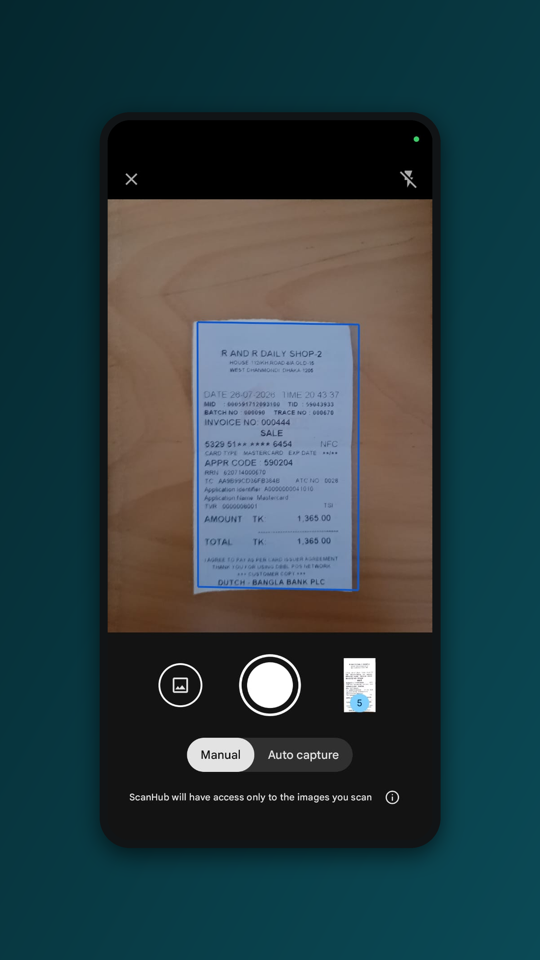 Automatic edge detection
 -
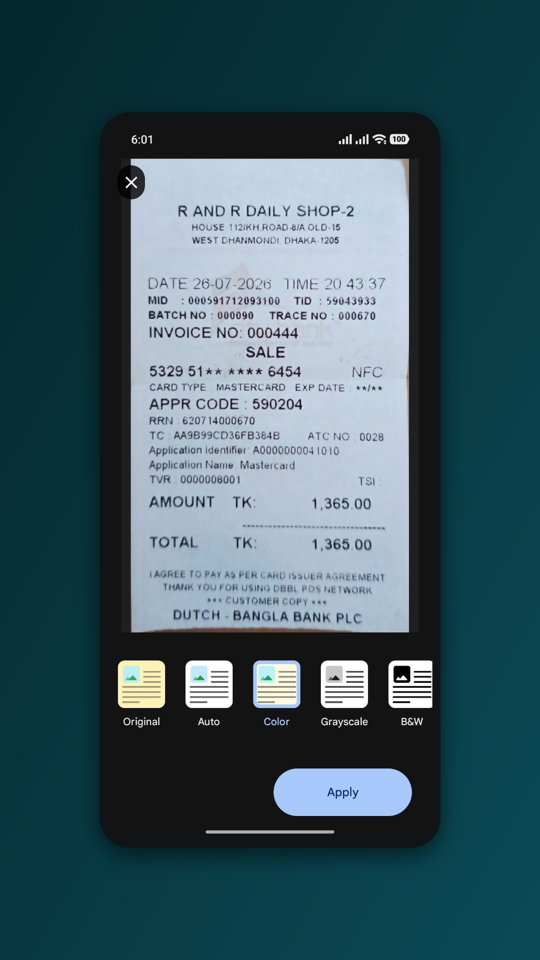 Colour, grey and B&W filters
 -
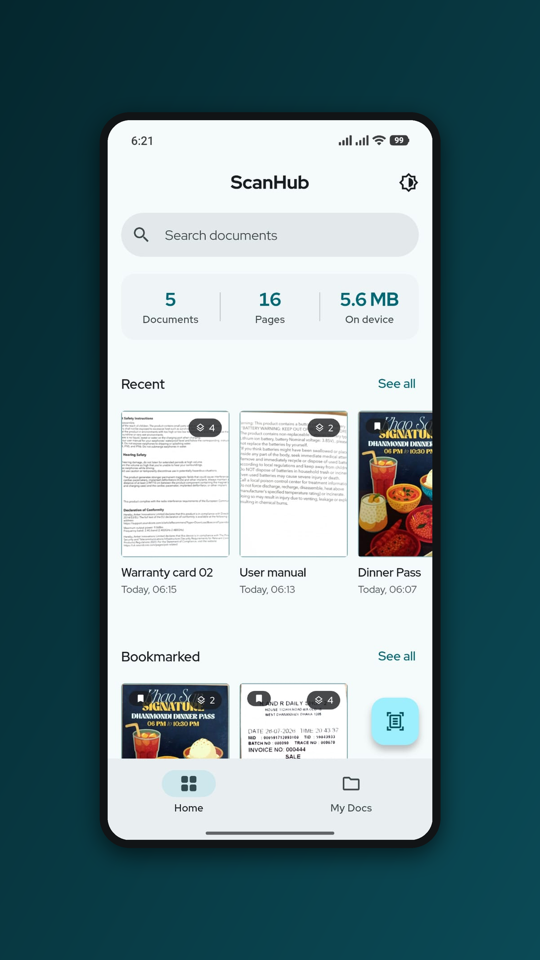 Your searchable library
How it’s built
Flutter with GetX for state. Scanning and text recognition both run on-device through
Google’s ML Kit — the document scanner captures and crops, and the text recogniser makes
scans searchable — so the OCR that powers search never leaves the phone. PDFs are built
with the pdf package and the app lock uses local_auth.
Because the app makes no network calls of its own, the “no data collected” claim is structural rather than a promise — there is nothing wired up to send anything anywhere. A Material You interface with full dark mode rounds it out, built for current Android.
- Flutter
- GetX
- ML Kit (on-device)
- On-device OCR
- PDF export
The core flow
Scanning a document
- 1 Point and capture Edges are detected automatically — auto-capture or a manual shutter.
- 2 Enhance Colour, grey or B&W filter; crop, rotate, and reorder pages.
- 3 Save and search Text is recognised on-device, so the document becomes searchable.
- 4 Share as PDF Export as a PDF or images in three sizes, or save to your phone.
At a glance
- Status
- Live on Google Play
- Category
- Productivity
- Platform
- Android
- Data
- None collected
- Price
- Free · no ads, no IAP
Links
- Play Store Open listing
- Privacy Policy page
- Package
com.rainlab.scanhub - Contact [email protected]