Projects / Vividwall

Vividwall – Live Video Wallpapers
Live video wallpapers for your Mac — stunning NASA scenes and sci-fi interfaces built in, or bring your own. Private and battery-smart.
Entertainment · macOS 13+ · $0.99
Five scenes built in
Ready on first launch: real NASA footage — Earth’s city lights, a simulated black hole, a year of moon phases — plus two living sci-fi control rooms.
Or bring your own
Drag any video into the window — MP4, MOV, M4V, AVI, MPEG. Rename it, reorder your library, and preview it live before setting it.
Made for many displays
Play one wallpaper everywhere, or give every display its own. Displays showing the same wallpaper share one efficient stream, perfectly in sync.
Your pace
Set a playback speed per video, from a dreamy 0.25× to a lively 2× — slow an aurora to an ambient drift, or let waves roll at full speed.
Respects your battery
Battery Guard pauses on low charge; playback also stops in Low Power Mode, when the Mac runs warm, under full-screen apps, and during sleep — resuming on its own.
Private by design
No accounts, no tracking, and no network access. Vividwall collects nothing — everything stays on your Mac.
Why it exists
A static desktop is a waste of a beautiful display. Vividwall plays seamlessly looping video as your Mac wallpaper — behind your icons, across every screen — without the accounts, ads, or battery drain that usually come with the idea.
It ships with five scenes worth looking at (Earth at night, a black hole, moon phases, and two sci-fi interfaces), takes your own videos just as happily, and stays out of the way when your Mac needs the power back.
Who it’s for
Mac users who want a living desktop — NASA footage, sci-fi control rooms, or their own looping videos — without the battery drain or the tracking.
In the app
-
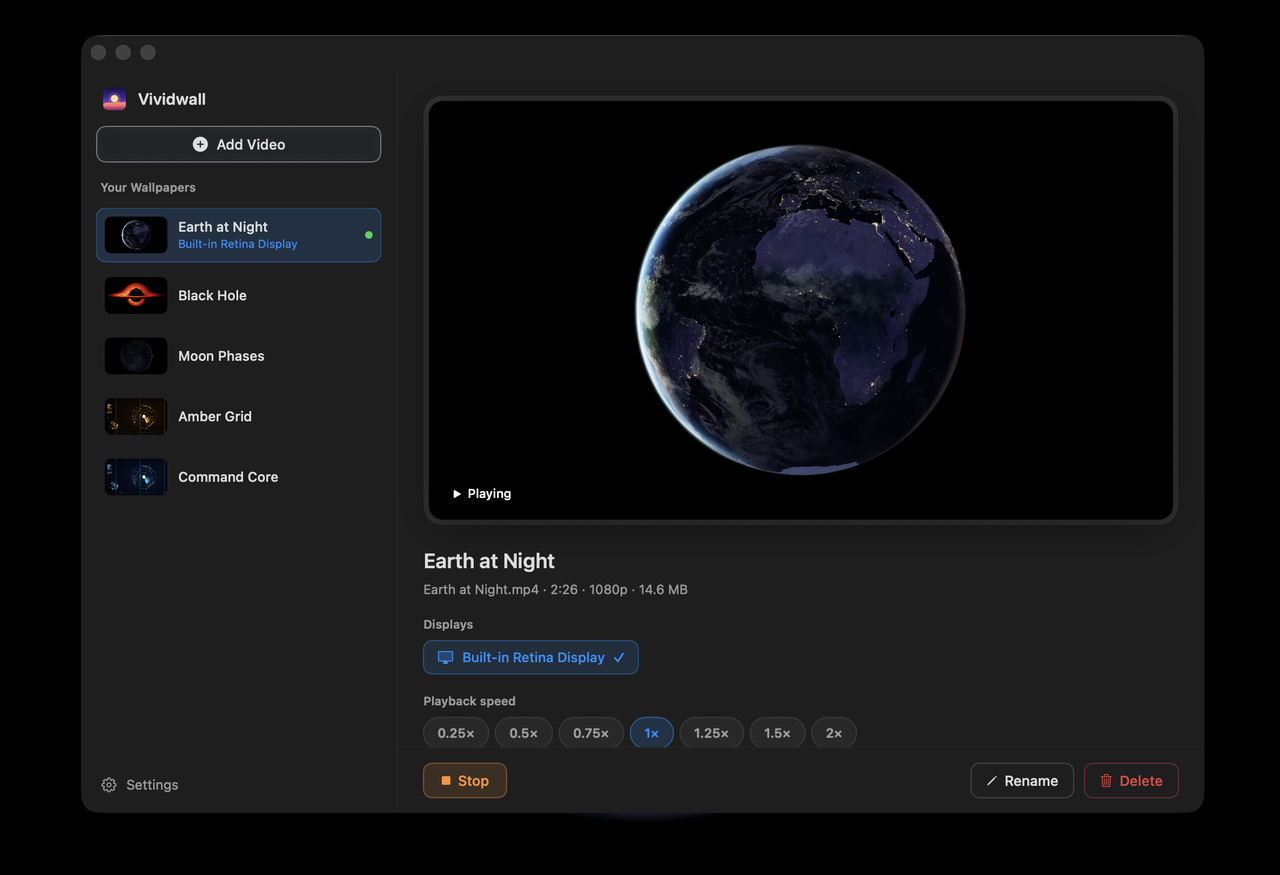 Earth at Night — one of five built-in scenes
 -
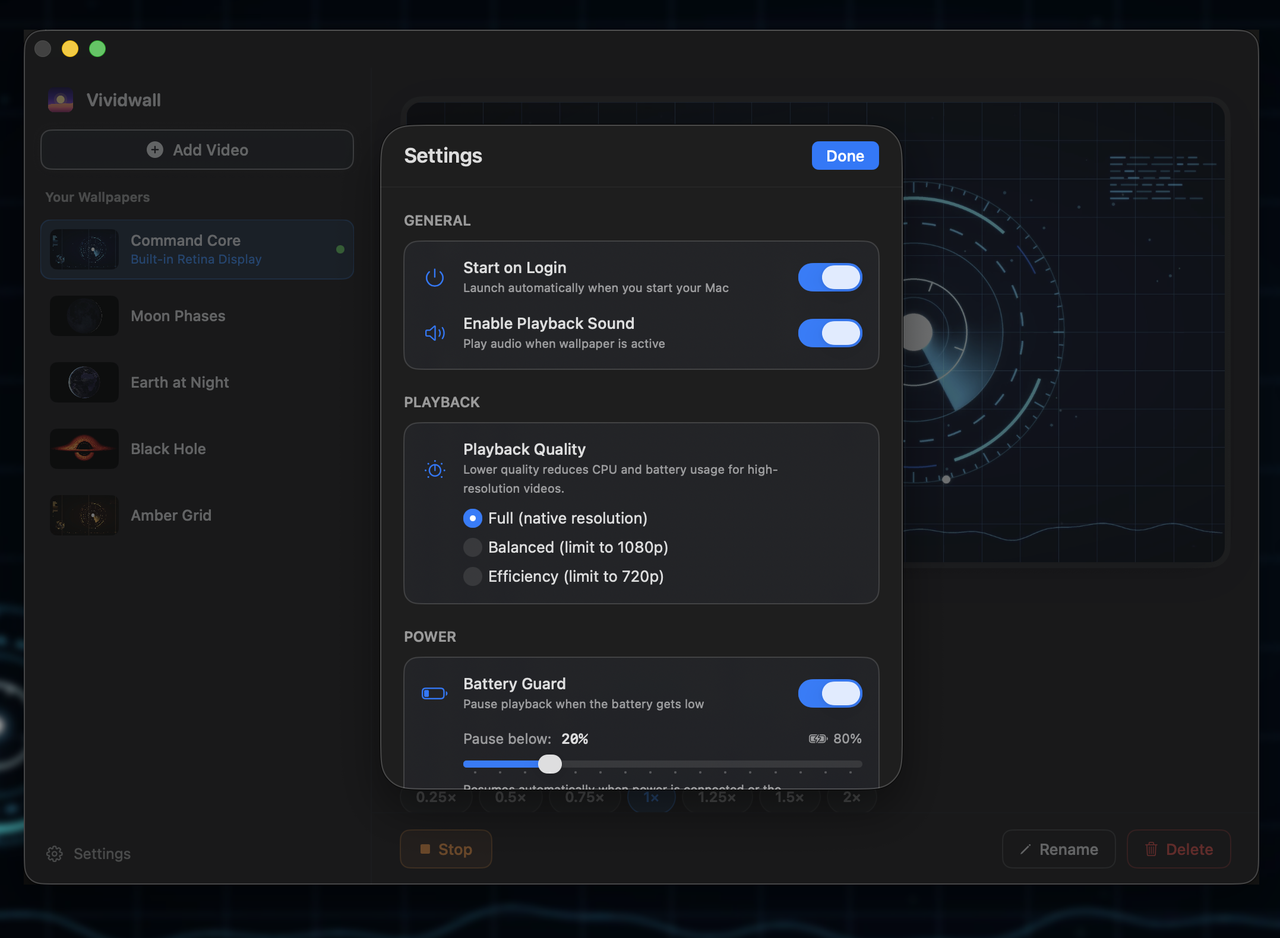 Settings — quality and power guards
How it’s built
A native SwiftUI app for macOS. Wallpapers are AVFoundation
video played into a borderless window pinned at desktop level, below your icons; a single
player feeds every display showing the same scene, so multi-monitor stays in sync without
multiplying the work.
A power monitor watches charge, Low Power Mode, thermal state, sleep, and full-screen apps to pause and resume automatically. It is fully sandboxed and makes no network requests of its own — the “no data collected” label is structural. Localized in six languages, for macOS 13 and later.
- Swift
- SwiftUI
- AVFoundation
- Sandboxed
- macOS 13+
The core flow
Setting a wallpaper
- 1 Pick a scene Five NASA and sci-fi wallpapers built in — or drag in your own video.
- 2 Choose displays One wallpaper everywhere, or a different one on every display.
- 3 Set the pace Playback speed from a dreamy 0.25× to a lively 2×.
- 4 Let it run Battery Guard and thermal pauses keep it light while you work.
At a glance
- Status
- Live on the App Store
- Category
- Entertainment
- Platform
- macOS 13+
- Price
- $0.99 · one-time
- Data
- None collected
Links
- App Store Open listing
- Privacy Policy page
- Package
com.buildbyrain.vividwall - Contact [email protected]